Cannot restore from old backup

Delta Chat version

Using 2.35.0

The backup I created would have been on whatever version F-Droid had on 5 August 2022.

Expected behavior

That my profile is restored from my backup.

Actual behavior

Restoring my backup gives the error message:

IMEX failed to complete: no such table: transports: Error code 1: SQL error or missing database

Steps to reproduce the problem

  1. Open DeltaChat
  2. Try to restore my backup delta-chat-backup-2022-08-05-00.tar
  3. See error message, backup has not been restored.

I opened Importing of old backups fails in 2.35.0 · Issue #7851 · chatmail/core · GitHub

As a workaround, you can try to import the backup into older version and then upgrade it, but make sure you don’t import it into a version older than the version that the backup is made with as it can cause its own problems.

If you can open the database inside the .tar file with sqlitebrowser you can check dbversion in the config table of the database, then I can lookup which version the backup is made with.

Otherwise I will try to make a fix for the next version so you can try to import again.

1 Like

Thanks. I downloaded deltachat-gplay-release-1.34.1.apk from the Android releases page. My backup imported successfully.

Unfortunately, when upgrading, I got this message:

I checked using DB Browser for SQLite and the dbversion is 90. I am happy to wait till the next version either way - thank you very much for looking into this.
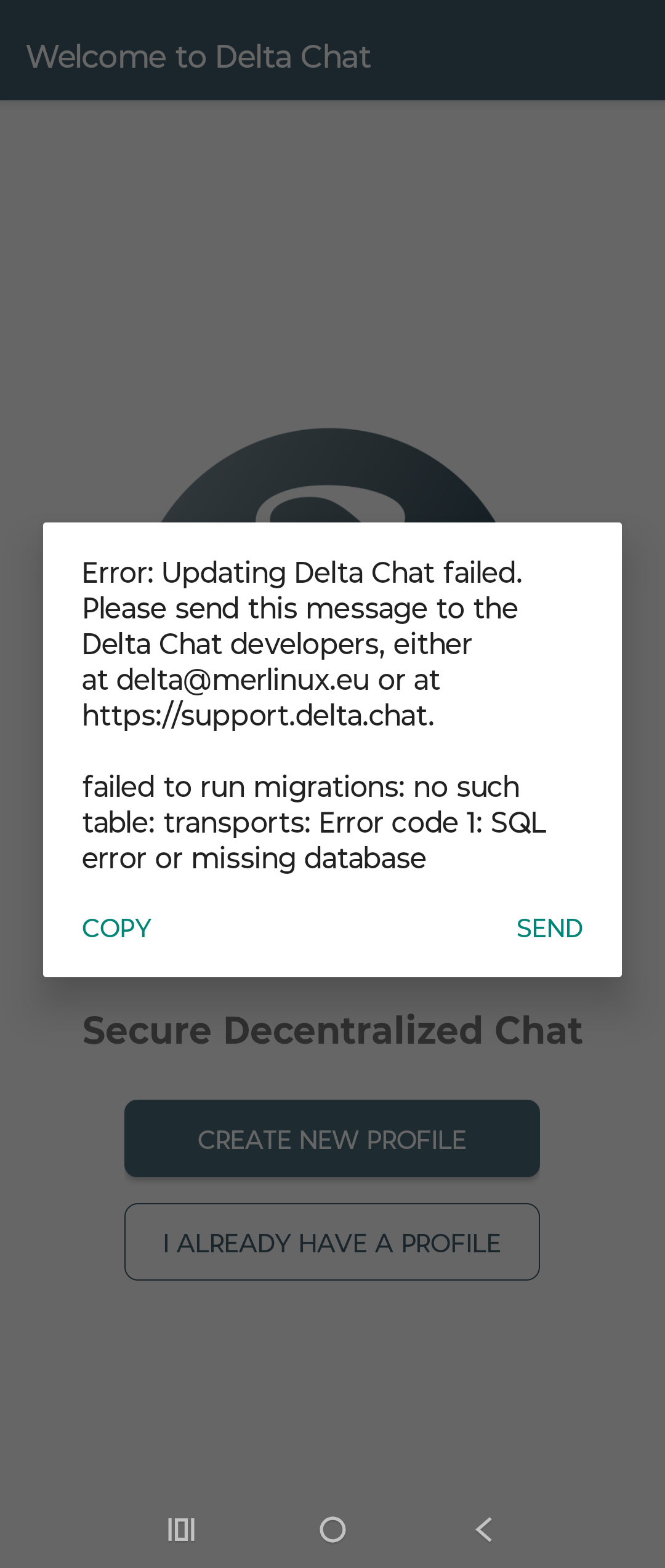
1 Like

dbversion 90 was introduced in core 1.81.0, tagged on 2022-05-17.

That was around https://download.delta.chat/android/deltachat-gplay-release-1.30.2.apk, so 1.34.1 is fine as it is newer. So if you start with 1.34.1 and upgrade not immediately to the newest version but it steps, it should work. Otherwise wait for the fix fix(imex): do not call `set_config` before running SQL migrations (#7851) by link2xt · Pull Request #7852 · chatmail/core · GitHub to be reviewed and merged and released.