Help Test the Tauri pre-release

As some of you know, I worked the last 2 years on porting the desktop client from electron to tauri:

Currently the plan is to release the tauri edition additionally to the electron version and start testing it to find out if it is stable enough to become the main edition and replace the electron edition.

I’m writing this forum post because the first tauri test release is released and ready for testing. There are also a few new features, that are also in the electron edition, but there will be a dedicated forum post about those soon (quick access to recent webxdc apps and more).

Releases can be found here: Release v1.59.1 2025-05-29 · deltachat/deltachat-desktop · GitHub
(mind that this contains both electron and tauri editions, so look at the file-names to not download the wrong one.)

Other versions like flatpak and nix

What to test:

I would be particularly interested in linux performance. We had some issues with Nvidia gpu on nixos + wayland. If you also experience issues, then try one of these three environment variables and tell us which one worked the best:

WEBKIT_DISABLE_COMPOSITING_MODE=1
WEBKIT_DISABLE_DMABUF_RENDERER=1
__NV_DISABLE_EXPLICIT_SYNC=1

Conclusion and credits

I wasn’t alone in this porting endeavour, big thanks to @WofWca, @nicodh, @Septias and @nojisan for their help on this.

Also thanks to @dotlambda for working on the nix package.

I’m also writing a blogpost on this topic, which I aim to publish next week. In the meantime you can read my other two blogposts about the steps that made this possible:

13 Likes

this is awesome!!! :star_struck:

666 :+1:

Does not start on Debian Bookworm, X11 with Intel GPU:

$ RUST_BACKTRACE=full deltachat-tauri 

thread 'main' panicked at /home/runner/.cargo/registry/src/index.crates.io-1949cf8c6b5b557f/tauri-2.5.0/src/app.rs:1280:11:
Failed to setup app: error encountered during setup hook: current logfile does not exist
stack backtrace:
   0:     0x56212c114912 - <unknown>
   1:     0x56212b2dbba3 - <unknown>
   2:     0x56212c1144ff - <unknown>
   3:     0x56212c114773 - <unknown>
   4:     0x56212c1141a9 - <unknown>
   5:     0x56212c14e4c8 - <unknown>
   6:     0x56212c14e429 - <unknown>
   7:     0x56212c14ea7c - <unknown>
   8:     0x56212b1ad18f - <unknown>
   9:     0x56212b8f801b - <unknown>
  10:     0x56212b8f40e6 - <unknown>
  11:     0x56212bb5eb8b - <unknown>
  12:     0x56212b1d9fe4 - <unknown>
  13:     0x56212b1d9fdc - <unknown>
  14:     0x56212b1da411 - <unknown>
  15:     0x7efdd842e24a - __libc_start_call_main
                               at ./csu/../sysdeps/nptl/libc_start_call_main.h:58:16
  16:     0x7efdd842e305 - __libc_start_main_impl
                               at ./csu/../csu/libc-start.c:360:3
  17:     0x56212b1d9f15 - <unknown>
  18:                0x0 - <unknown>
1 Like

The workaround/solution mentioned in this issue solves it, app starts now :slight_smile:

1 Like
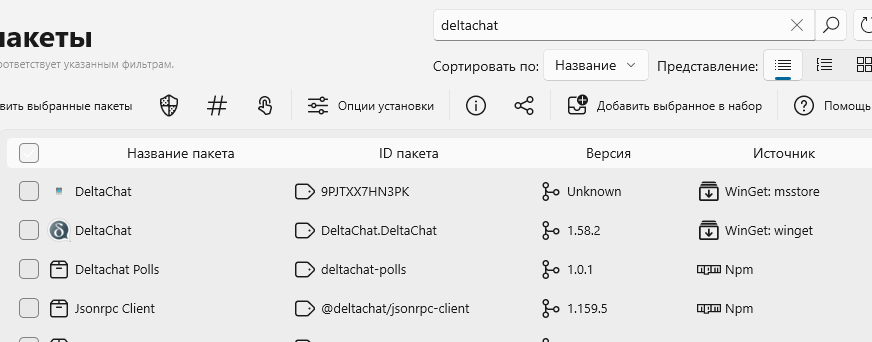
  1. Can tauri build be added to winget or chocolatey so UniGetUI would manage the updates?
  2. Can it import the settings from main dsktop version, including e-mail credentials, or is the only option to manualy do all settings from scratch?

1 Like

once there are official releases, then we could add it to some auto updating repository.

you can copy accounts folder and config.json manually, they should be compatible. or do the setup second device process for all your accounts to transfer them.

This is what my terminal (Manjaro, Gnome, NVidia proprietary drivers, Wayland) tells me:

WEBKIT_DISABLE_DMABUF_RENDERER=1
__NV_DISABLE_EXPLICIT_SYNC=1 /path/deltachat-tauri_1.59.1_amd64_f18cda9c4bda938033e9a6c51eab8348.AppImage  
Warning: Ignoring XDG_SESSION_TYPE=wayland on Gnome. Use QT_QPA_PLATFORM=wayland to run on Wayland anyway.

** (WebKitWebProcess:59298): WARNING **: 18:24:37.002: The GStreamer FDK AAC plugin is missing, AAC playback is unlikely to work.
GStreamer element autoaudiosink not found. Please install it

(WebKitWebProcess:59298): GLib-GObject-WARNING **: 18:24:37.003: invalid (NULL) pointer instance

(WebKitWebProcess:59298): GLib-GObject-CRITICAL **: 18:24:37.003: g_signal_connect_data: assertion 'G_TYPE_CHECK_INSTANCE (instance)' failed

** (deltachat-tauri:59198): WARNING **: 18:24:58.016: atk-bridge: get_device_events_reply: unknown signature

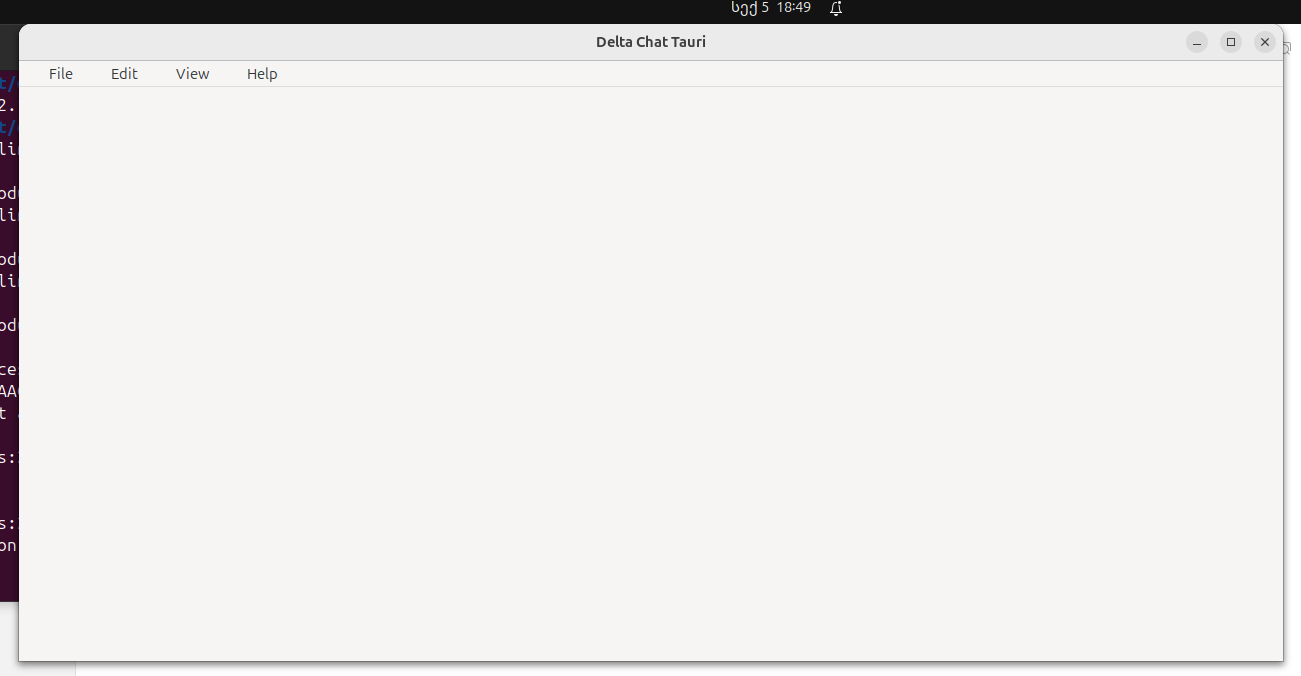
It does draw the correct UI for a second, then blanks out and displays an empty window though.

2 Likes

the importance of auto-update is proportional to thosee updates frequency, so for beta-testing it is more important than for stable versions

then, indeed, for early testing it is probably better for you to have small amount of very dedicated users than medium amoung of medium dedicated tester

Starts fine on Mint 22.1, but why doesn’t it use the same config settings system as the old app? It would be easier to test if it was just a drop-in replacement for the electron client. I guess it’s a complete reimplementation of the client with a different backend, not just the GUI changed.

What I notice is that if you launch from the command line and you close the window, the process doesn’t completely finish, I have to do Ctrl-C to end it. (Noticing that the electron app is the same; I’m using AppImage for both of them, but this is not normal for AppImage apps.)

When we make tauri the default version instead of electron, then we will add a migration step to import/move the data from the old location. The idea is to not affect the production version as long as the tauri version is still experimental.

2 Likes

Keen “User” here - want to try Tauri version and avoid some electron pain. The link to the release packages shows 2 files containing “Tauri” in the name, but both seem to be Apple DMG files?. I’m on Manjaro, which do I use?

(Thanks for all this work and to Delta Chat team as well, its the future so Im promoting it whenever I can, but some people like to shared all their metadata with meta for some reason…)

I does not look too good for deltachat tauri on linux right now, our tauri version has some problems on linux that make me unable to recommend it for real usage (missing camera(qr code scanning) and microphone (voice message recording) support, crashes if you don’t also install gstreamer, glitches on Nvidia GPUs, crashes when you don’t have the log folder and has some problems with the single instance lock).

I would be happy though for test results and bug reports, as there may still be some issues, that we don’t know about yet.

For now you can find the downloads for windows and linux in Release v1.59.1 2025-05-29 · deltachat/deltachat-desktop · GitHub, or build it yourself.

1 Like

Thanks Simon, thats a drag! Hoping to get rid of a few copies of Electron on my desktop :slight_smile: and Tauri looks good. I’ll try github and report back if/when I find something (I have an Nvidia GPU on wayland). Otherwise, I want to encourage you and other devs to keep it up, think it has great potential esp. in the workplace.

1 Like

FYI: downloaded the appImage for now. Manjaro with kernel 6:16, Nvidia prop driver; npm 11.4.2, pnpm 10.12.4; zsh, plasma 6.3.5

  1. running it I get a window flash up and then:
~/Downloads  uname -a                                                                                                     IOT ✘ 
Linux hostname 6.16.0-rc3-1-MANJARO #1 SMP PREEMPT_DYNAMIC Sun, 22 Jun 2025 21:58:19 +0000 x86_64 GNU/Linux


~/Downloads  ./deltachat-tauri_1.59.1_amd64.AppImage --log-to-console                                                         
Could not create GBM EGL display: EGL_SUCCESS. Aborting...
zsh: IOT instruction (core dumped)  ./deltachat-tauri_1.59.1_amd64.AppImage --log-to-console

Seems like [[Help Test the Tauri pre-release]].

  1. I then downloaded source and followed when I get to pnpm start the build starts but I get an error:
Gdk-Message: 17:08:12.079: Error 71 (Protocol error) dispatching to Wayland display.
 ELIFECYCLE  Command failed with exit code 1.

Is there a doc with an explanation of the directory structure of target-tauri?

I see that /docs/DEVELOPMENT.md shows a directory structure tree, but target-tauri isn’t filled out.

The new 2.x releases are also available in the Tauri Edition.

But be sure to make backups of your accounts in dc tauri (accounts of tauri and electron edition are still seperate) and ideally also read the hints on 🧪 Help testing the upcoming Major 2.x (!) release.

Report problems on github, or here (if you are not sure that the problem is specific to tauri edition, then better post it at 🧪 Help testing the upcoming Major 2.x (!) release)

App starts, but as soon as I resize the app window, it becomes all white.


Nothing happens if I click at the app, e. g. at settings icon.
Only profile creation worked.
Here is console output.

kote@kote-pc:/mnt/data/deltachat$ ./deltachat-tauri_2.9.0_amd64.AppImage 
/usr/lib/x86_64-linux-gnu/gvfs/libgvfscommon.so: undefined symbol: g_task_set_static_name
Failed to load module: /usr/lib/x86_64-linux-gnu/gio/modules/libgvfsdbus.so
/usr/lib/x86_64-linux-gnu/gvfs/libgvfscommon.so: undefined symbol: g_task_set_static_name
Failed to load module: /usr/lib/x86_64-linux-gnu/gio/modules/libgvfsdbus.so
/usr/lib/x86_64-linux-gnu/gvfs/libgvfscommon.so: undefined symbol: g_task_set_static_name
Failed to load module: /usr/lib/x86_64-linux-gnu/gio/modules/libgvfsdbus.so

** (WebKitWebProcess:24860): WARNING **: 18:51:52.685: The GStreamer FDK AAC plugin is missing, AAC playback is unlikely to work.
GStreamer element autoaudiosink not found. Please install it

(WebKitWebProcess:24860): GLib-GObject-WARNING **: 18:51:52.685: invalid (NULL) pointer instance
1 Like

After 2.10.0 release I was trying to start Tauri on Ubuntu 24.04.3 LTS in VirtualBox 7.0.26 (without hardware graphics acceleration). No success.

Console messages:
VMware: No 3D enabled (0, Success).
libEGL warning: egl: failed to create dri2 screen
libEGL warning: DRI2: failed to create screen
MESA: error: ZINK: vkCreateInstance failed (VK_ERROR_INCOMPATIBLE_DRIVER)

strace log stops on:
futex(0x773513dd15f8, FUTEX_WAKE_PRIVATE, 2147483647) = 0
write(2, “MESA: error: ZINK: vkCreateInsta”…, 74 MESA: error: ZINK: vkCreateInstance failed (VK_ERROR_INCOMPATIBLE_DRIVER)) = 74

Then I was distracted, and didn’t try further.

1 Like