Some images really don’t need to be sent in original quality and the same “information” can be sent with an image 1/10th the size. There are multiple aspects to optimization, that may affect the result:
size reduction
metadata removal
I feel that this might not be ok with everyone and I didn’t see any discussion yet, so here’s a thread to start gathering feedback on this
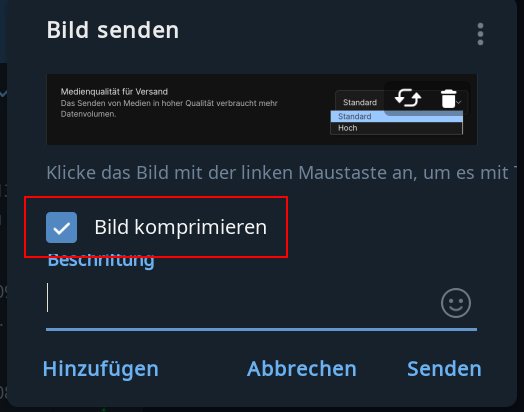
I haven’t tried to see if it works but there is the output media quality option, I don’t know if actually activating it compresses the images.
As for removing the metadata, it seems like a good idea to me.
Some images really don’t need to be sent in original quality and the same “information” can be sent with an image 1/10th the size.
this already happens.
eg. photos sent as images are recoded to a reasonable size, using only a fraction of the original size. for screenshots, this might even be only 1/100th of the size.
metadata are removed as well.
however, the recoding may not be possible for huge images (say, images with 100 times more pixels than usual) as happening recently in the “DC Community” chat. this needs a fix, i filed an issue at #6825
is it considered a screenshot when pasting a previously copied image to deltachat with ctrl+v? (desktop)
the metadata removal feature is very nice, I don’t know if it is claimed somewhere however it is one of the things that privacy conscious people would like to know, maybe it could be added in the faq?
Does it happen for videos as well?
the same compression algo is applied when sending “as image” unconditionally. mentioning “screenshot” was just meant as an example where things compress really good.
for metadata removal: if the video is recoded, then yes. for faq: yes, we might consider to add it there
As people are used to have a more fine-grained control over the quality of images DeltaChat should do the same. Otherwise people might say: DeltaChat suxx because the image quality of my last vacation picture is garbage.
So I think there should be a setting like “high” or “original” or something like that.



 I’m sure nobody will seriously use this in production