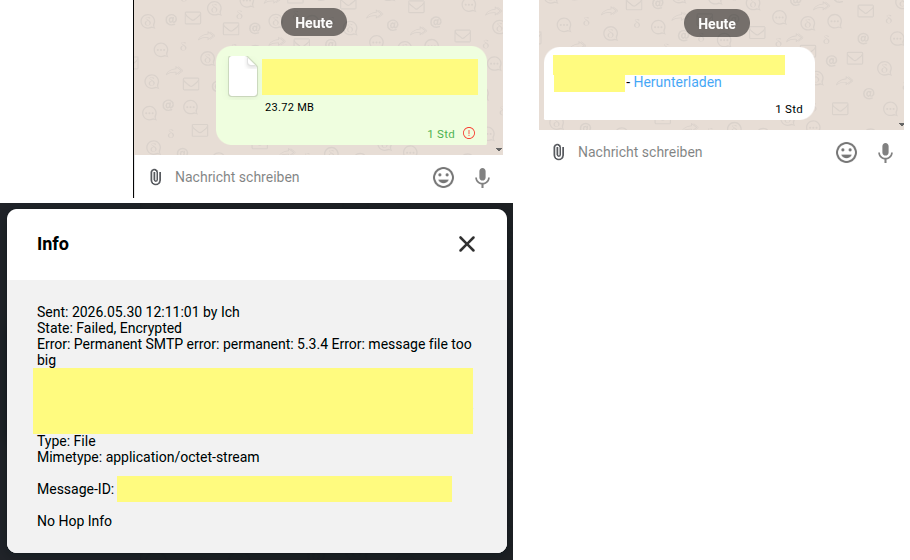
today I’ve tried to send a video with DC, but it failed. The info message showed, that the video is bigger than allowed:
Sent: 2026.02.20 12:42:03 ...
State: Failed, Encrypted
Error: Permanent SMTP error: permanent: 5.3.4 Error: message file too big
File: ..., name: video_2026-02-20_11-42-03.MOV, 45655879 bytes
Type: Video
Mimetype: video/quicktime
The relay I’ve used was nine.testrun.org, so first I’ve checked the info page about restrictions: nothing about maximum message size. Same for other relays I had a look at.
The error indicator is a small red dot with “!”. I did not notice it at all.
Suggestions:
Maximum message size should be shown on info page of relays
Error indicator should be more visible
Error message is quite technical. For specific errors (e.g. error 5.3.4) show an understandable message for the casual user. Show error details only after clicking a “show error details” button.
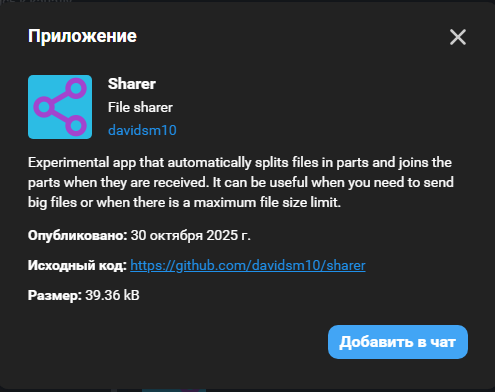
In the “+” attachment menu, under “Apps”, you will find an app to split your file up, send it in chunks, and join up the chunks again. It is called “Sharer” and was written by @DavidSM100 .
Default relay config is max_message_size = 31457280 (30 MiB). For base64 encoded attachments this means a maximum of 22,5 MiB. That’s quite low nowadays.
The server also has a per-account quota, 700MiB on nine.testrun as I recall, so that may be the default. It is also rate-limited to 60 mails/minute, deletes mails after 30 days, and deletes accounts after 90 days without a login, all default settings that can be changed.
Some relays have drasticly different settings, like a three-day message expiry! You could lose messages if you were offline for a long weekend.
If you send mostly text but don’t check your messages regularly, a server with a tight quota and long expiry time would be good. If you are always-on but send video files, the reverse could be desirable. One can imagine a server where you could choose, maybe by talking to a bot, but that would be rather complicated and create attack surface.
There is no list that reports these quotas, so you have to read the TOC of each instance to know. There is some new surfacing of some of them in the GUI, once you have an account.
The overall idea is to make the server really cheap to run; low-maintenance and low-hardware and low-bandwidth and low-storage. The 30-day default expiry is reportedly useful under EU law. I do not know of a page that gives guidance on reasons for various settings in various jurisdictions.
# how many mails a user can send out per minute
max_user_send_per_minute = 60

# maximum mailbox size of a chatmail address
max_mailbox_size = 100M

# maximum message size for an e-mail in bytes
max_message_size = 31457280

# days after which mails are unconditionally deleted
delete_mails_after = 20

# days after which large messages (>200k) are unconditionally deleted
delete_large_after = 7

# days after which users without a successful login are deleted (database and mails)
delete_inactive_users_after = 90
There already is a different expiry settings for standard and large mails.
Only some of these settings are published on the relay info page, therefore my first suggestion in starting post: publish them all!
IMHO the standard use case for a messenger nowadays is always online (smartphone) and send whatever I want (just like Whatsapp, Signal, …). I’ve never met a size limit in other messengers, which probably exists, but is at least large enough to send 3 minutes full HD videos.
For now we seem to have the same sh*tty situation, that e-mail always has suffered from: I want to send an attachment, but which size is accepted at the receiver? You cannot know before trying. Maybe there is an RFC to get this info from the destination server before uploading, but I don’t think so.
IMHO deltachat should have it’s own standard: require all standard compliant relays to allow at least attachment size X. If an attachment is bigger than X the client should already show a warning before sending. Also the client should show a warning if an attachment will raise disk usage over 80 % of your quota on the server. There is no problem for relay admin to still allow smaller attachments only. Using these relays will return same result like we have know: unknown errors for the casual user.
I propose a different workaround. Introduce a new message header that Delta Chat would add to each outgoing message where it declares capabilities of its most strict configured relay, such as the maximum supported message size of replies it can receive or whether it accepts unencrypted messages.
How Delta Chat can find out such a limitation for each of the relay of the user is an open question. Worst case, it could probe for it by trying to save drafts of varying sizes with binary search upon setting up each new relay. Best case, chatmail ought to share this metadata with the authenticated user (or as you suggest, declare it on its public website, possible also in CORS JSON form). Related:
High speed file transfer and low latency messaging. Both sender and receiver need to open the app to transfer files. If not, messages and image previews will be sent through the regular updates and files won’t be sent.
Sync a list of files in chats with friends or with your other devices. Files are synchronized using real-time Peer-to-Peer connection with other online devices that have the app open
I’ve set the maximim message size to 360 MB on my own test server. This allows attachments of ~256 MiB. This allows sharing videos of about 2:30 minutes from my iPhone (depending on video content).
Currently I see no other option for a user friendly usage experience. IMHO using in chat apps is absolutely no option for non techy users.
In the last time I had some example of people wanting to send ~50MB attachments but download did not work. There was no error message it just loaded forever.
(“Let’s send it on Signal” was the solution in these cases.)
I just wonder why Webxdc is able to detect max message size but the Delta Chat client itself can not use this information.