Dear Community,
on my relay the network light is constantly flickering. So does the light of my fiberglas connection. In my fritzbox no relevant data is seen to be used. Is this normal or should I be concerned about this?
Thx
broncheolus
Dear Community,
on my relay the network light is constantly flickering. So does the light of my fiberglas connection. In my fritzbox no relevant data is seen to be used. Is this normal or should I be concerned about this?
Thx
broncheolus
WDYM by “my relay”? What machine do you have it installed on? Is there nothing else except for the Chatmail relay? And what do you consider “relevant data”?
Anyway, I doubt that there is anything to be concerned with.
You could look into it with tcpdump and tshark if you’re curious.
You can try to run netstat or tcpdump -w file.pcap, then copy the .pcap to your machine and open it with wireshark to see what is going on.
It could be that it is simply incoming packets from the internet, e.g. bots scanning the ports.
Looking at Problem installing chat relay [certificate for shared IPv4 address space] - #3 by broncheolus, you have opened port 22 to the outside internet. Probably better close it and only SSH from your local network if you can. Also make sure to use key authentication on SSH and disable password authentication in /etc/ssh/sshd_config
Otherwise it is constantly flickering because of the bots trying to bruteforce the SSH password.
Chatmail relay itself is not sending anything other than outgoing mails normally.
It’s just a RaspPi for only ChatMail.
I already removed forwarding of port 22 inside of fritzbox and I have already changed config of ssh to prohibit-password. I will check with your commands if I can find out more. Cheers.
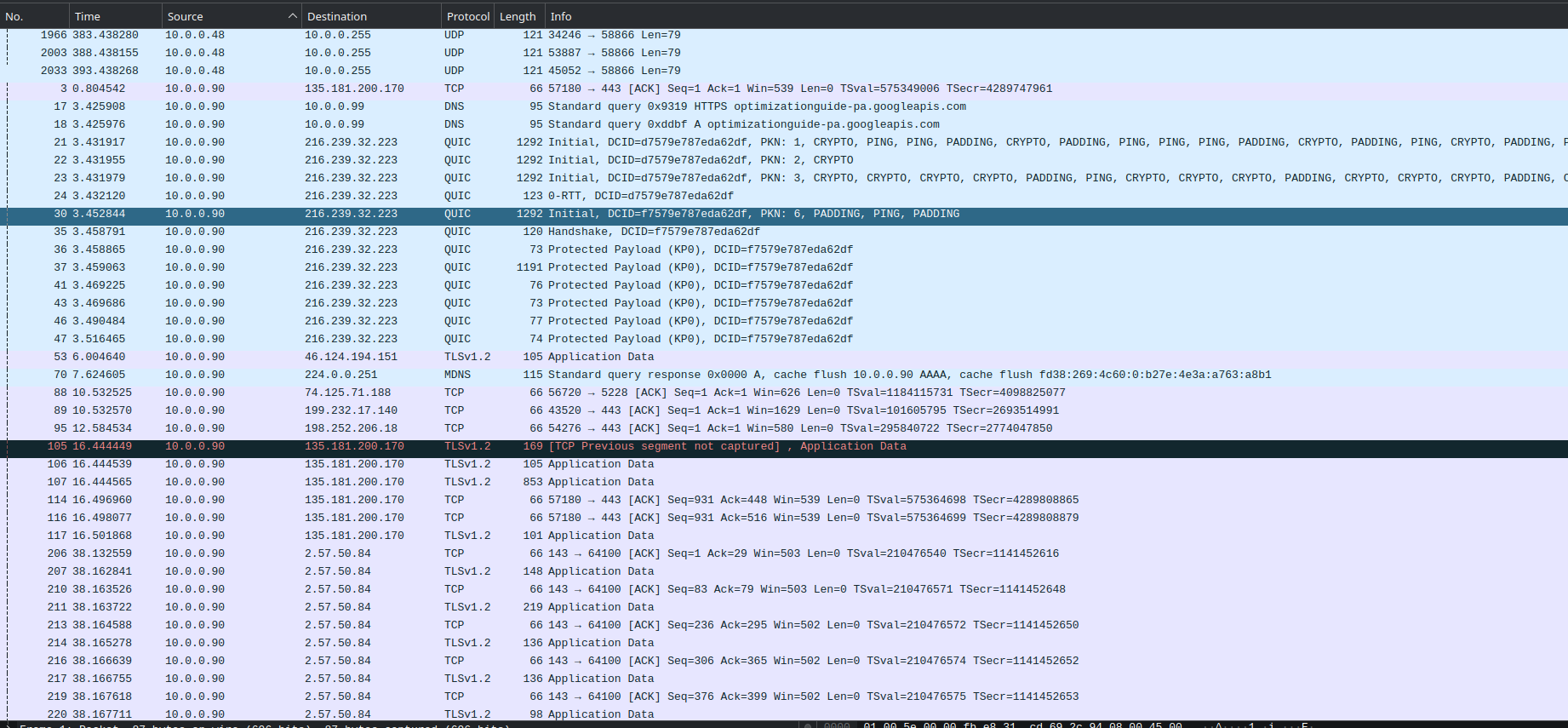
Connections to port 443 are likely scrapers fetching the web page.
These are indexers of i.e. Google scanning a web page (that is not there in my case)?
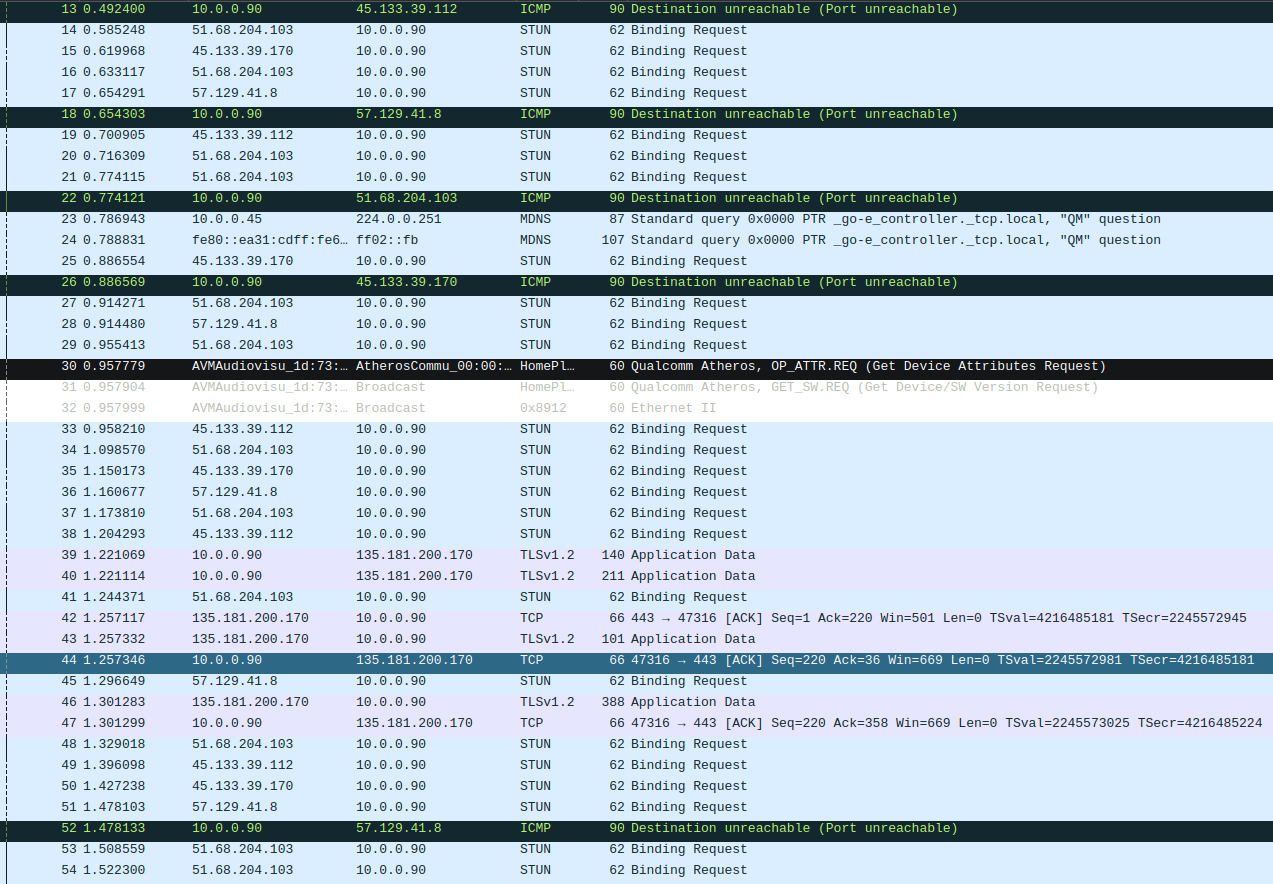
I’m surprised by all those STUN requests repeating, though. Could you please check over a longer interval whether it is happening continuously and whether it’s always these IP addresses? Hopefully someone is not scanning the world jumping through you.
Will do so. Will be back
I mean, sure, some of your users will check in from time to time as they use real time P2P within DC, but seeing it repeated every second sounds fishy. At a minimum, it could be a bug in DC/CM
IPs like 45.133.39.112 (Turkey) and 51.68.204.103 (UK, OVH hoster) are likely not your users, looks like some bot IPs. Why they send STUN Binding Request is a question, could be that this is somehow related to you using FritzBox and having an IP-based telephony on the same network. Found something that looks related: https://old.reddit.com/r/AskNetsec/comments/7ubvsp/computer_sending_and_receiving_stun_binding/
Could be that 10.0.0.90 (your raspberry pi IP) is configured in FritzBox somewhere as an IP phone?
These are the IPs I found at the last tcpdump. They were constantly doing the binding request.
57.129.XXX.XXX
45.133.XXX.XXX
45.133.XXX.XXX
My phone at home uses fiber connection. If there’s some kind of IP phone setting for the RP, I don’t know but I will check..
Oh, now I better understand those ICMP port unreachable errors around it. The attackers might be trying to open and forward each of your ports to hack it.
If your security is tight, you shouldn’t worry. However, you may want to look into the fail2ban tool as it was created for just this use case.
Why are we so eager to say that these are not legit users? The STUN binding request “spam” can be explained by the fact that your server isn’t responding tho these requests, so the clients keep retrying. Could be either WebXDC real-time users or video call users.
So I wouldn’t be posting the IP addresses publicly.
Also why is the STUN port Why is your server not responding to the requests?62? Did you set it up this way?
I think 62 is the packet size, not the port.
Why should the server not respond. I tested it. The server responses perfectly well even on calls. Creating a profile works flawlessly. Ergo, they seem illegit (just from the probability point of view). Some of them come from the same IP range where the 4th number seems to change from time to time. As it was told above it’s some kind of fishy.
indeed