How to manage users ChatMail? Is this described somewhere?
It would be nice to add in the installation description about these test users, okay, I saw that they were created from my IP, but someone might get very scared
Is it possible to install ChatMail directly on the server, without a local system, i.e. deploy the script directly there?
And the most important question that I asked myself, if the delta chat essentially rested on the installation of servers, then it becomes similar to Matrix, jabberd and other decentralized messengers, then what is the point?). As I can see, there is no control panel here(I probably don’t know yet), and it’s not entirely clear about calls yet.
It is possible (this is my opinion) to still choose support for all possible mail servers, with the ability to add turn servers (directly to the application, this was already discussed on the forum), as well as adding the ability of the file transmitter also as a separate setting(since the limits of mail providers are 20-30 MB).?
Thanks
Хорошо, возможно переводчик гугл покажет более правильно
Итак я установил ChatMail, у меня есть страница регистрации с qr кодом. К примеру у меня регистрируются пользователи есть ли какая то панель чтобы ими управлять? Например временно преостанавливать учетные записи, блокировать, удалять?
2.Я устанавливаю ChatMail на свой домашний компьютер в соответствии с документацией
Установка выполняется только внутри папки проекта (с использованием виртуальной среды Python) и не влияет на систему.
Можно ли установить ChatMail непосредственно на сервер VDS (Debian, Ubuntu и т.д.) Без использования локального компьютера, т. е. Развернуть скрипт прямо там?
3. И самый важный вопрос, который я себе задал: если чат Delta по сути основан на установке серверов, то он становится похожим на Matrix, Jabberd и другие децентрализованные мессенджеры, то в чем смысл? Насколько я вижу, здесь нет панели управления, и с вызовами пока не совсем ясно, как я вижу они тестируются.
Возможно стоит не плодить сервера ChatMail (это моё мнение), а сконцентрироваться на максимальной совместимости с почтовыми серверами всех провайдеров мира, и добавить возможность настройки TURN-серверов (непосредственно в приложении, это уже обсуждалось на форуме), а также так как мы ограничены в IMAP объемом передаваемых файлов 20-30 мб, добавить возможность пересылки файлов в качестве отдельной настройки по типу upload в jabberd.
4. Почему я пишу пункт 3, потому что в моей стране matrix.org блокирован, многие сервера jabber блокированы, поэтому я вижу что стоит создавать то что заблокировать нет возможности, ну или очень трудно, такое как IMAP с дополнениями что я написал выше. Так что касается пункта №1, мне нужно контролировать пользователей на моем сервере, потому что если кто то что то напишет то что не нравится властям за мной как собственником сервера могут приехать)
5. Какой объем файла мы может передавать внутри ChatMail, и между ChatMail, такой же как и на внешних серверах IMAP 20-30 мб, или это где то настраивается?
Возможно так будет понятнее😉Спасибо
OK, maybe Google translate will show you more correctly
So I installed ChatMail, I have a registration page with a qr code. For example, I have registered users is there any panel to manage them? For example, temporarily suspend accounts, block them, or delete them?
I install ChatMail via my home computer according to the documentation
The installation runs only inside the project folder (using a Python virtual environment) and does not affect the system.
Is it possible to install ChatMail directly on a VDS server (Debian, Ubuntu, etc.) without using a local machine — i.e., deploy the script right there?
And the most important question I asked myself: if Delta chat is essentially based on installing servers, then it becomes similar to Matrix, Jabberd and other decentralized messengers, then what is the point? As far as I can see, there is no control panel here, and with the calls, it’s not entirely clear yet how I see them being tested.
Perhaps you should not produce ChatMail servers (this is my opinion), but focus on maximum compatibility with mail servers of all providers in the world, and add the ability to configure TURN servers (directly in the application, this was already discussed on the forum), and since we are limited in IMAP to the amount of files transferred 20-30 MB, add the ability to forward files as a separate upload configuration in jabberd.
Why do I write point 3, because in my country matrix.org blocked, many jabber servers are blocked, so I see that it is worth creating something that is not possible to block, well, or very difficult, such as IMAP with the additions that I wrote above. So as for point #1, I need to control users on my server, because if someone writes something that the authorities don’t like, they can come for me as the owner of the server)
How much file size can we transfer inside ChatMail, and between ChatMail, the same as on external IMAP servers 20-30 MB, or is it configured somewhere?
Perhaps it will be clearer this way😉Thanks
I do not know if there is any sort of dashboard included in Chatmail/relay; I think it is designed not to need one. Chatmail servers are very low-maintenance.
You could presumably delete users in your database, but if they are using multitransport they might not even notice, so the authorities would be wasting everyone’s time by asking you to delete an account.
All the messages going through a Chatmail server are end-to-end-encrypted. No-one except the sender and recipient can read it. The server rejects all unencrypted messages.
So the authorities can’t see what anyone writes. You can’t see either.
Chatmail servers are also spamproof (because you need the recipient’s public encryption key to send a message). And they are fast and easy and cheap to run and you can allow anyone to create an account. But you can still use any IMAP mailserver instead.
I think you can set the attachment size limit on your own server, but I do not know how. Users can also split and concatenate files.
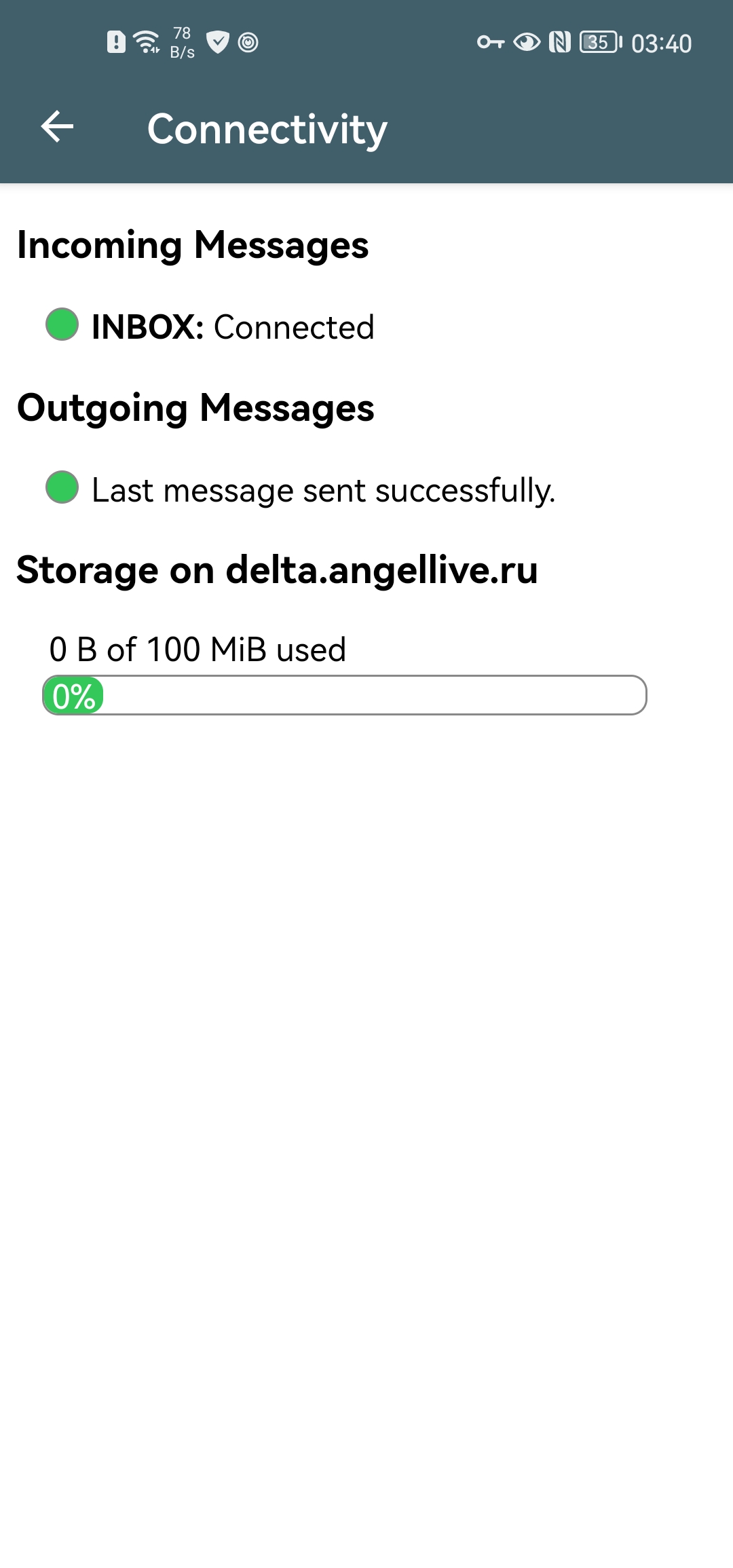
Thank you, but I still haven’t found how much file size can be transferred, and where is this configured? I only see 100MB of storage in the application, which is very little.
2. I also didn’t find out after what time users are deleted (including test ones)?
I missed a question. A government can block the Matrix and XMPP protocols. But if they block e-mail, many unexpected things stop working. The economic cost is very high, like shutting down the internet. E-mail is essential infrastructure.
I think messages are stored for a maximum of thirty days by default.
delete_inactive_users deletes users if they have not logged in for a very long time. The timeframe can be configured in chatmail.ini.
here are the settings in the chatmail. ini file, and as I already understood, if I transferred 8 MB, then my storage is filled with 8 MB, yes, there are settings that delete more than 200 KB in 7 days, but as I understand it, for cofort use of delta chat, you should install 1 GB instead of 100 MB, and make the maximum transfer not 30 but 300 mb(I don’t understand why it is specified in bytes)
# maximum mailbox size of a chatmail address space for files
max_mailbox_size = 100M

# maximum message size for an e-mail in bytes specified 30 mb, you can make 300 MB = 300000000 byte
max_message_size = 31457280

# days after which mails are unconditionally deleted
delete_mails_after = 20

# days after which large messages (>200k) are unconditionally deleted
delete_large_after = 7

# days after which users without a successful login are deleted (database and mails)
delete_inactive_users_after = 90
If you use
“+”(attach)>“Apps”>“Sharer”
then the “Sharer” app will let you send large files. I do not think there is a limit. Bigger will take more time.