It is possible to set the avatar visible to others instead of the default colored avatar, but even if the avatar is set, nickname color is visible in chats.
Currently the color is generated from the key fingerprint (and from the email address) and cannot be changed.
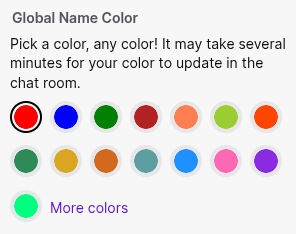
Some other messengers allow setting the color for self. Telegram has a “Change Name Color” option, apparently only allowing to select a color from a predefined set, as well as a pattern for quote background:
Twitch allows users to set the color in which their nickname appears in the chat:
Because apparently any color can be used, there is an option “Readable colors” (enabled by default) described here that changes colors resulting in unreadable text: Twitch Help Portal
There is a similar request for setting the color of the contacts (not self):
Some other messengers don’t allow to set the name color. In Discord the color of the name is not global and shows the role of the user, so e.g. all admins have the same color.
In Signal user names have different colors, but I have not found if it is possible to set the name color for self.
Another option is to add some randomly generated seed (stored in the config) concatenated with the contact key fingerprint before computing the color. This will allow to solve two problems:
“a lot of contacts which have pretty much the same color” (mentioned above).
Ugly self-color.
The user can try to generate/edit the seed then until everything looks acceptable.
I can imagine that being able to change the colors and an option for setting the own color would also be appreciated by some neurodivergent people who appreciate options for personalization and who might have strong color preferences or strong aversion to specific colors.
When user clicks ‘Create new profile’, DC app may:
(1) generate key pair
(2) instead of gray colored circle (with overlayed button for selecting profile image), show the circle of color which corresponds to the generated key
(3) show additional button (‘Another color’), which will generate new random keys and update the resulting color of circle.
In some systems ‘avatar’ is actually a public key visualisation.
If it has enough variability, it can be used for comparing public keys by ‘naked eye’.
But here we have only limited color options, so it’s not the case.
If you was addressing me - my proposal probably is the shortest path for allow the user to choose the color, nothing more.
Absense of color picker is not only allows to spare the time on coding it, but probably will help to disperse avatars colors more evenly between generated profiles.
The idea seems natural for me, but now I’m not so sure about ‘keys’ part.
Graphical representation of pubkey is really old idea. The first one I personally encounterd was ‘bubblebabble digest’ (or VisualHostKey) shown by ssh-keygen. I got this bookmark on it: https://dirk-loss.de/sshvis/drunken_bishop.pdf
There are multiple web engines’ plugins for blogs and forums which generates unique character images, or just abstract arts. But sure it’s not from pubkeys - probably email addresses are used, or it’s just random.
There are graphic representation of pubkeys in Telegram secret chats - but devs made it extremely boring, like QR codes without anchor points. Probably this was the goal, so no one compares them actually.
Wrt reflection/visualization of the contact key using colors: as we have avatars also, this overall won’t improve security. At least if we don’t display key-dependent colors somewhere else, e.g. we can use the four remaining corners (because we have round avatars), we even can fill them with different colors. Not sure that will look nice. Also before computing colors the key fingerprint should be salted, so the same contact will look differently for users. Otherwise the attacker can just set the same name, avatar and find a key for which the colors are nearly the same.
Salting is an interesting idea. Having the keyhash avatar different for each person would have advantages and disadvantages.
I was thinking of hashing the key to something much higher-entropy than the colors, which I agree would be very easy to collide. Key-derived colors would only protect against very unsophisticated attacks.
We could prevent a custom avatar image from spoofing a keyhash avatar image fairly easily, say by making the former round and the latter square. Or we could turn the keyhash into a background watermark of the random-bishop hash images or some such, instead/as-well-as an avatar, so you could use both.
Of course, with the development of key rotation etc. then identifying a profile with the generating key might make more sense.