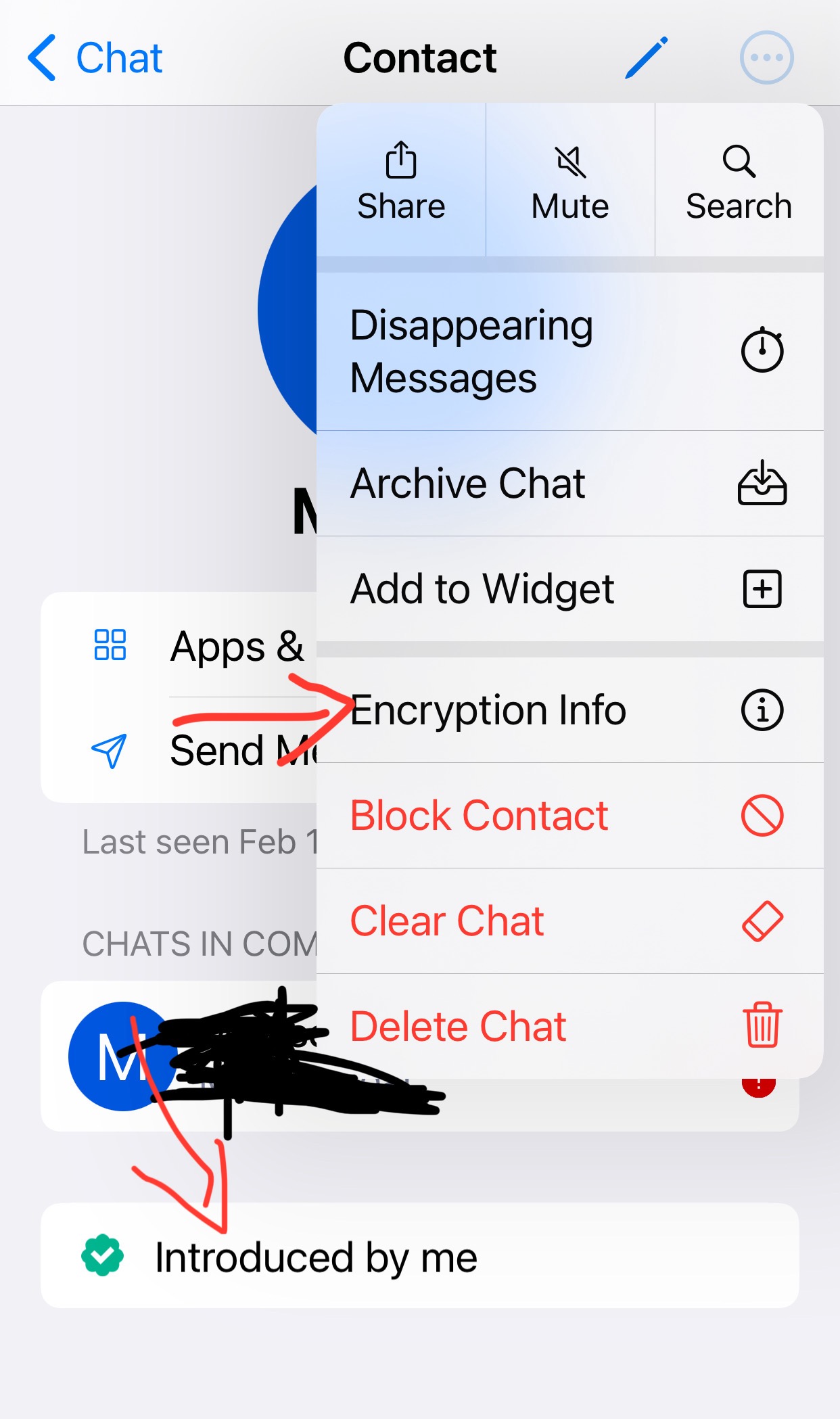
When I tap on a contact’s profile page, I want to see the level of authentication they have.
Someone that I added through scanning a QR code in person should be more secure than someone I added just through a link. And the person I added through a link should be more secure than someone in the same group chat as me that I don’t know at all.
And we should have the ability to change a contact’s level of authentication. “Upgrade” them by getting a link or by scanning a QR code.
Actual behavior
There’s no real info on their profile about how I added them at all. It just says “introduced by me” with a green check (which doesn’t even make sense in the context of a 1-on-1 chat). And the Encryption Info shows keys I guess?
Something in the UI that shows security level simply like that would be more helpful. And it could even encourage users to scan each others’ QR codes.
Related technical question, but is there a difference between QR and link right now? I don’t think there is, I thought the QR contains the exact same link. And some devices don’t have cameras. That makes me wonder how one would meaningfully differentiate those two in a way that works for all users.
Presumably your client knows whether you pasted the QR code or URL into the client, or scanned it with the camera? The latter is likely to be in-person. A manual override would be needed; for instance, I have photographed a QR code in-person and then copy-pasted just because DeltaTouch does not interoperate with my camera. Still an in-person introduction.
Yes, especially since “How do you know who this is?” and “How did you get the code?” might be separate questions. Though since many people will only ever scan in-person, with people they have long known IRL, a default message would be good.