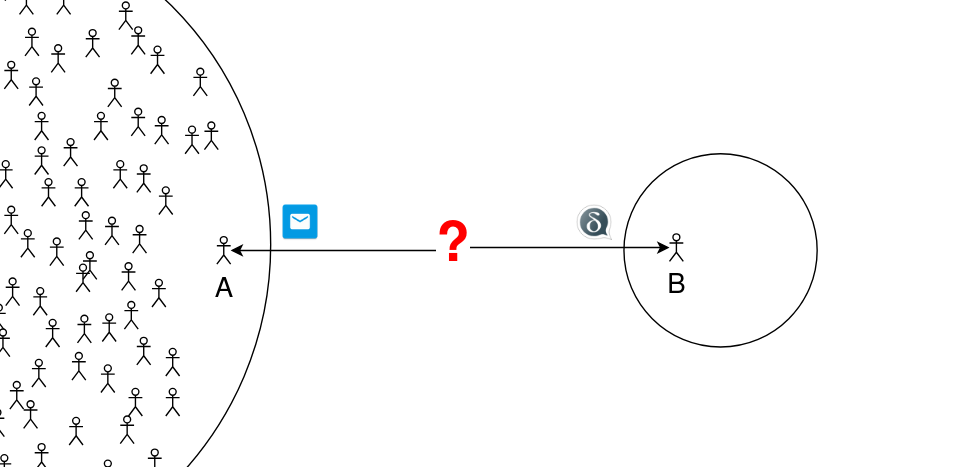
let’s say, some person A isn’t yet convinced to install chatmail clients on their devices, but they use email and, if necessary, they could try a certain MUA (one supporting Autocrypt etc), and do some technical setup (import PGP keys) in advance, to connect with person B (a delta chat enjoyer).
is it possible to for person B to use DeltaChat (or another chatmail client?) to communicate with person A, without person A installing any chatmail clients, relying only on well-known, established protocols and standards?
is it possible, additionally, to have E2EE?
is it possible, additionally, that person B uses a chatmail account?
For questions above:
if yes, how?
if yes, will interoperability always be the case or is it temporary/non-standard behavior?
Regarding Q0: as of today, this FAQ entry explains how to configure a “classic email” profile in DeltaChat, that can be used to exchange non-encrypted emails with email users. Though, some DC features disappeared in such chats over time (like editing, that used to send an email with pencil emoji + new text). It’s unclear to me whether this use-case will persist, and whether (Q1) encrypted communication is possible with non-chatmail users.
I found this five-year-old topic (unanswered; author says they experimented with Autocrypt-cabable MUA, no success), but many new versions of DC have been released since then, and some other topics on the forum suggest that DC has shifted its focus/goals in recent years.
Yes to all three questions! It is hard to configure, though.
Personally I would like to see some of Deltachat’s standardization spread. Free Chatmail accounts and SecureJoin-standard QR key exchange would be great features for any mailclient to implement.
While Deltachat clearIy started with such interoperability ambitions, I think many of the devs have gotten discouraged. Even the Autocrypt standard has seen little adoption. E-mail is increasingly concentrated in the hands of a few oligopolist providers, who increasingly only reliably accept mail from one another, rejecting private servers at the slightest excuse. Additional protocols have made running a mailserver ever harder (there is active work on multiple easy-setup Chatmail server implementations).
But I think this situation, and Deltachat’s increasing adoption, actually improve our chances of getting other mailclients onboard.
The linked topic describes how to compile neomutt with Autocrypt support (in Debian), and how to enable Autocrypt it in neomutt’s config. The post says “it doesn’t work”, though. If it doesn’t work with neomutt (currently), what made you believe the answer is “yes” to all three questions? Did it work with some previous version of neomutt?
Is it implied that enabling Autocrypt in any MUA would be enough to communicate with DC users, or are there other requirements? (the linked topic only discusses Autocrypt)
How could DC user (person B) having a chatmail account make the first contact with email user (person A)? In DC (android) I only see options “share QR/i.delta.chat link”, not send an email (when using a chatmail profile).
How could email user make the first contact with DC user? Should they simply send the first message (plaintext with Autocrypt header) to the email address visible in DC settings?
E-mail is increasingly concentrated in the hands of a few oligopolist providers
just in case, clarification: in the scope of original question, both person A and person B use non-oligopolist non-evil email providers that don’t reject private servers, work on solar energy, and smell like roses.
Others have done this; I have not, but I documented it :). My problems with Neomutt were internal to Neomutt, nothing to do with DC.
DC is standards-based. Any Autocrypt-compatible mailclient should work. Chatmail servers only allow Autocrypted mails, but they should take any Autocrypt mails.
It is possible to manually import (and export) keys. I’ve been meaning to write a tutorial on this (EDIT: here, Advanced contact-adding tutorial) because there are many different methods. I will try to get to this this week, but lest it is urgent I will summarize a likely method: send an .asc file as an attachment in DC, or send a DC contact (which is an .asc file under the hood).
CORRECTION: By “.asc” obviously I meant “.vcard”. Apologies, I need to catch up on sleep! See next post for much better instructions.
They should send the first message encrypted, with an Autocrypt header. An unencrypted mail sent to a Chatmail account will bounce. They need to obtain the recipient’s public key first. If they have a copy or it is pblished they can import it into DC.
in delta chat you can export your public key as vcard, you then need to import that key from that vcard in the other email clients that support encryption, if the other person share their key via another channel, you could even convert their key (.asc file) to a vcard and import it in your delta chat so you can immediately send encrypted to that person and they can send encrypted to you with the key you shared with them, I think this will work even without autocrypt at all, so the steps are:
Share your public key with your peer via another communication medium
go to Saved Messages
click attackment button
select the contact button to attack contact
scroll to the bottom of the contact list that appear and select the last item that is your own contact
send the attached contact in the Saved Messages chat
select the message you just sent with your contact info, select “export attachment” this will export a vcard file
share the vcard file with your friend
if your friend doesn’t have a client that can import encryption keys from vcard (ex. protonmail can) then you will need to first edit the vcard in a text editor and extract the key and convert it to an .asc file and share that .asc file with your friend
In another communication channel, ask your friend to send you their public key (.asc file or or .vcard in the case of ProtonMail)
if they sent you a .asc file you will need to use an in-chat tool we have called “.asc to VCard” see it here: webxdc apps with this tool you can convert .asc to vcard that you can import in your delta chat
send the received .vcard file in your “Saved Messages” chat and click it, this will import the key of your contact
now you can start sending encrypted messages to your contact!
what I describe below implies distributing keys in-band, with no verification
I assume it must be possible and reasonable to perform key verification shortly after keys were distributed over insecure channel, but not sure how (DC invite link seems to include key fingerprint in URL fragment… ).
prerequisites
person A (email enjoyer) must ensure encryption and Autocrypt are enabled in their MUA (e.g., turn on in k9 mail account settings).
person B (deltachat enjoyer) must use a “classic email” DC profile, that could operate with unencrypted emails.
how to exchange keys between Autocrypt-capable MUA and DeltaChat using unencrypted emails
Scenario 1: person A initiates communication with person B
person A sends an (unencrypted) email to person B.
person B accepts the incoming request in DC, and sends an (unencrypted) message back, in the same chat. DC implicitly attaches their key in the Autocrypt header. the chat picture is “grey envelope”, indicating that chat is unencrypted. I thought it should have been theoretically possible to send an encrypted reply at this point, but I don’t see how to do it in DC.
person A replies to person B’s message in their MUA. in my case, k9 mail automatically encrypts the reply using, apparently, the key from received Autocrypt header, as expected from Autocrypt-capable agent.
person B receives another incoming chat request, different from the first chat at step 2. in this chat DC says “Messages are end-to-end encrypted.” and chat picture is NOT a “grey envelope”. person B could accept the request, and continue encrypted communication in this chat, ignoring the first (unencrypted) chat.
Scenario 2: person B initiates communication with person A
person B uses DC to create an unencrypted group with person A (tap , “New E-Mail”, enter Subject, “Add Recipients”), and sends a first message. DC implicitly attaches their key in Autocrypt header.
then continue as in steps 3 and 4 of Scenario 1:
person A replies. their MUA (tested with k9 mail) automatically encrypts the reply, AND implicitly attaches their key in the Autocrypt header.
person B accepts an incoming request for a new e2ee chat, and continues further communication in this chat, ignoring the unencrypted group previously created at step 1.
In the chat: hamburgermenu>“Encryption info”
This displays the fingerprints.
Is K9 not capable of sending an e-mail with Autocrypt headers in step 1?
A caution; DC does not yet have key rotation. It will reject messages with an Autocrypt header that does not match what it expects, so the trust-on-every-use situation is absent.
Alternately, if your keys are published (most keyring programs and some mailclients let you publish them) you can get them from a WKD bot:
In other words, the active adversary must be active when the keys are first exchanged. Once keys have been correctly exchanged the adversary can’t decrypt messages.
Sorry, stupid question, it is but DC apparently does not scan incoming messages in unencypted chats for Autocrypt keys. That might be worth a feature req.
Perhaps you could file a feature request with K9?
If K9 implemented the SecureJoin standard it would be easy to share keys securely between K9 clients, and K9 would also interoperate very well with Deltachat; your testing has confirmed it. And there would be another excellent alternative to insecure key exchange.
Completely separately, from what you’ve reported, K9 could allow users to automatically create free e-mail accounts on any standard Chatmail mailserver, from inside K9, by typing in the e-mail address they want (or just picking the domain). That might be an appealing feature.
Alas, I can’t use K9, because I am on Mobian! So I can’t write up a step-by-step of configuring it. I take it enabling Autocrypt is pretty easy, though.
EDIT (because I technically can’t add a post)
It seems client interoperability has gotten more problematic:


 disclaimer

 ).
). I thought it should have been theoretically possible to send an encrypted reply at this point, but I don’t see how to do it in DC.
 , “New E-Mail”, enter Subject, “Add Recipients”), and sends a first message. DC implicitly attaches their key in Autocrypt header.